Install / 安装
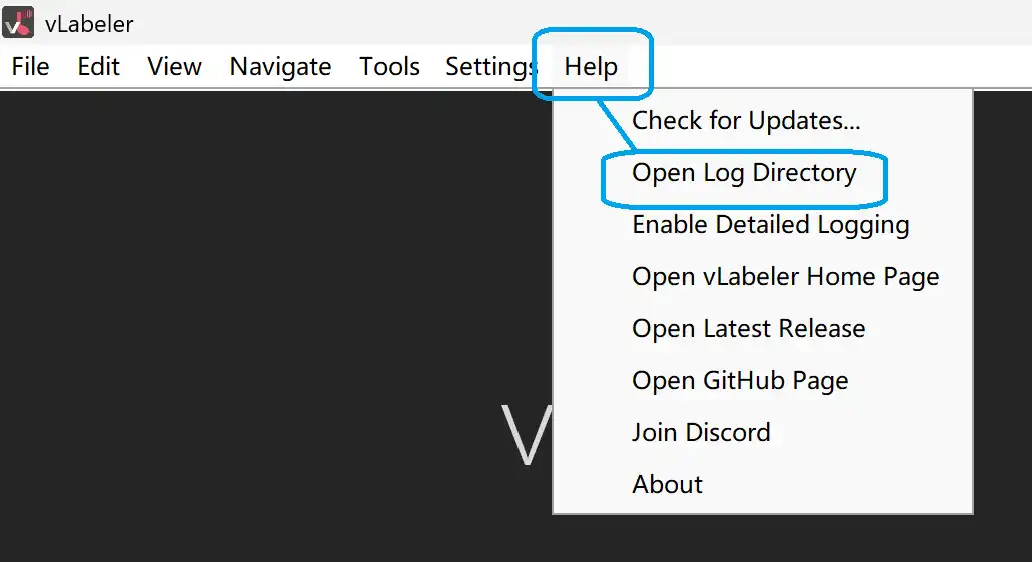
First, you need to locate the installation directory of vlabeler phonemizer and its plugins. In vlabeler, click Help -> Open Log Directory.
首先,您需要找到vlabeler音素器与插件的安装目录。在vlabeler中,点击帮助->打开日志目录。
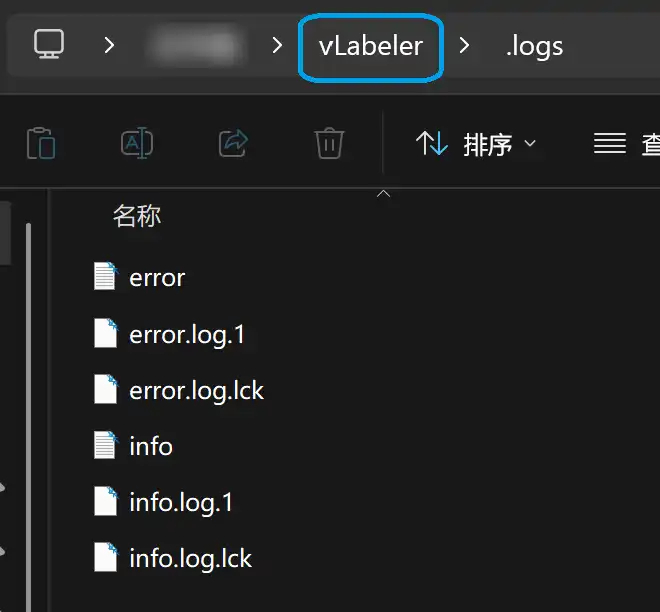
After opening the log directory, open its parent directory.
打开日志目录后,再打开它的上级目录。
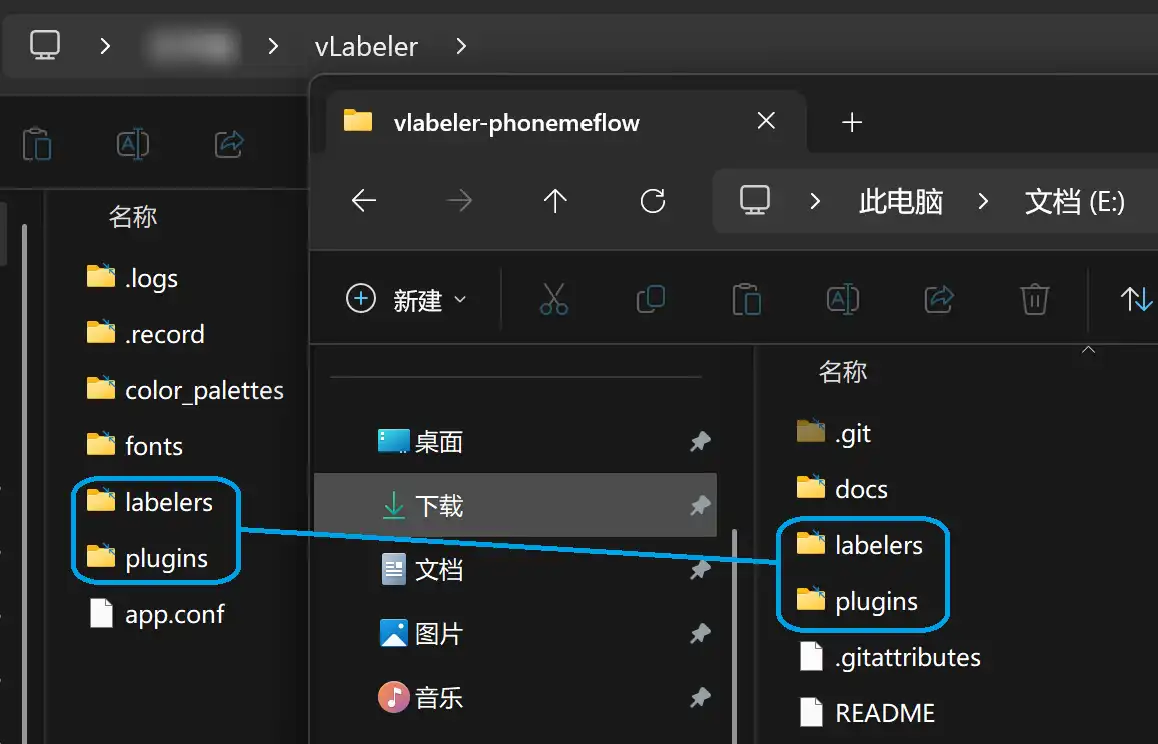
In the parent directory, you can see the labelers and plugins folders.
在上级目录中,您可以看到labelers和plugins文件夹。
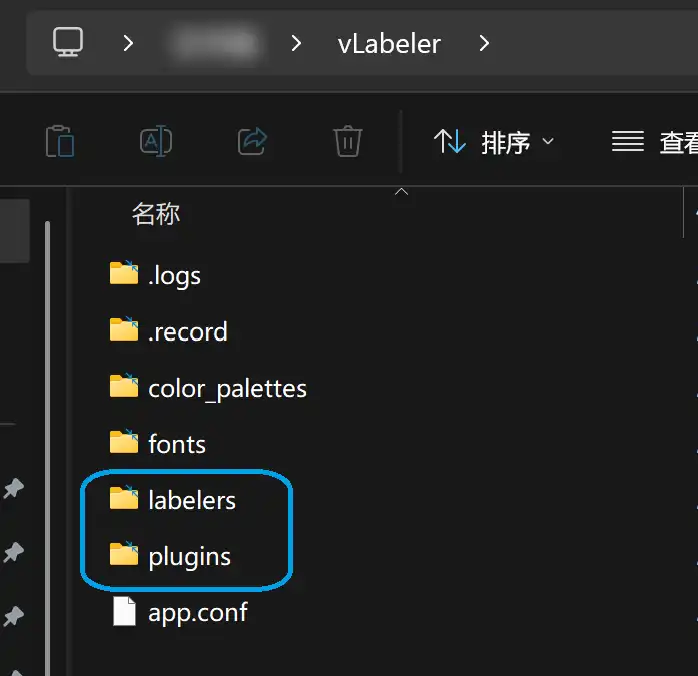
Put the labelers/plugins folder in this directory.
将labelers/plugins文件夹放在这个目录中。
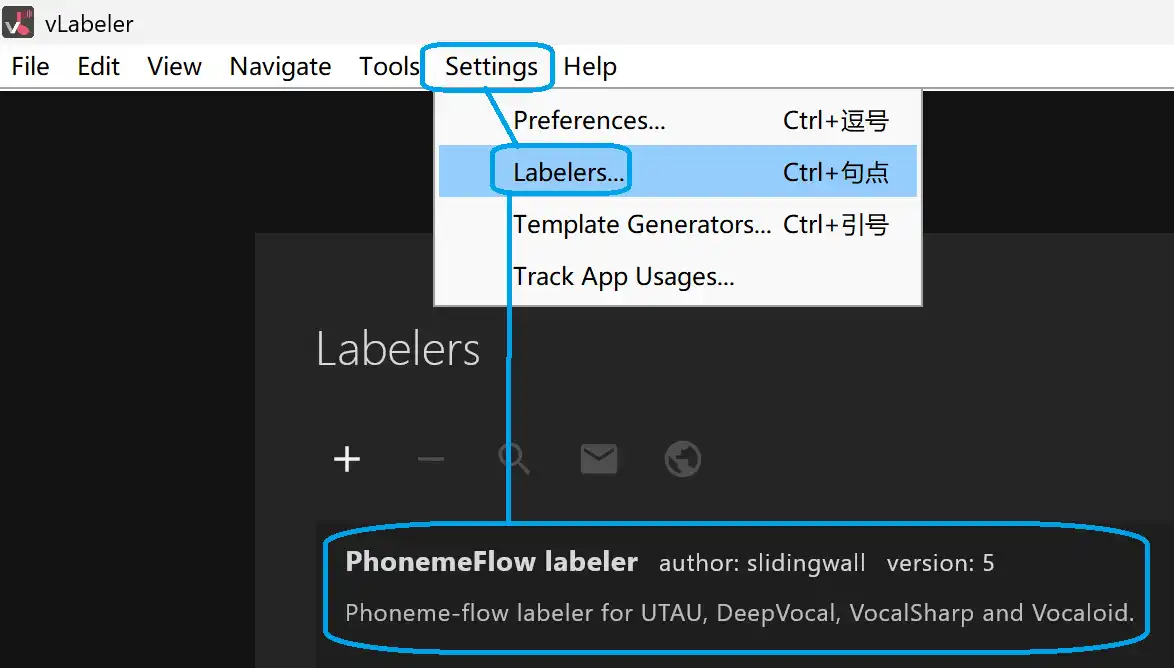
In vlabeler, click Settings -> Labelers… to check whether the labeler is imported correctly.
在vlabeler中,点击设置->标注器…以检查标注器是否导入正确。
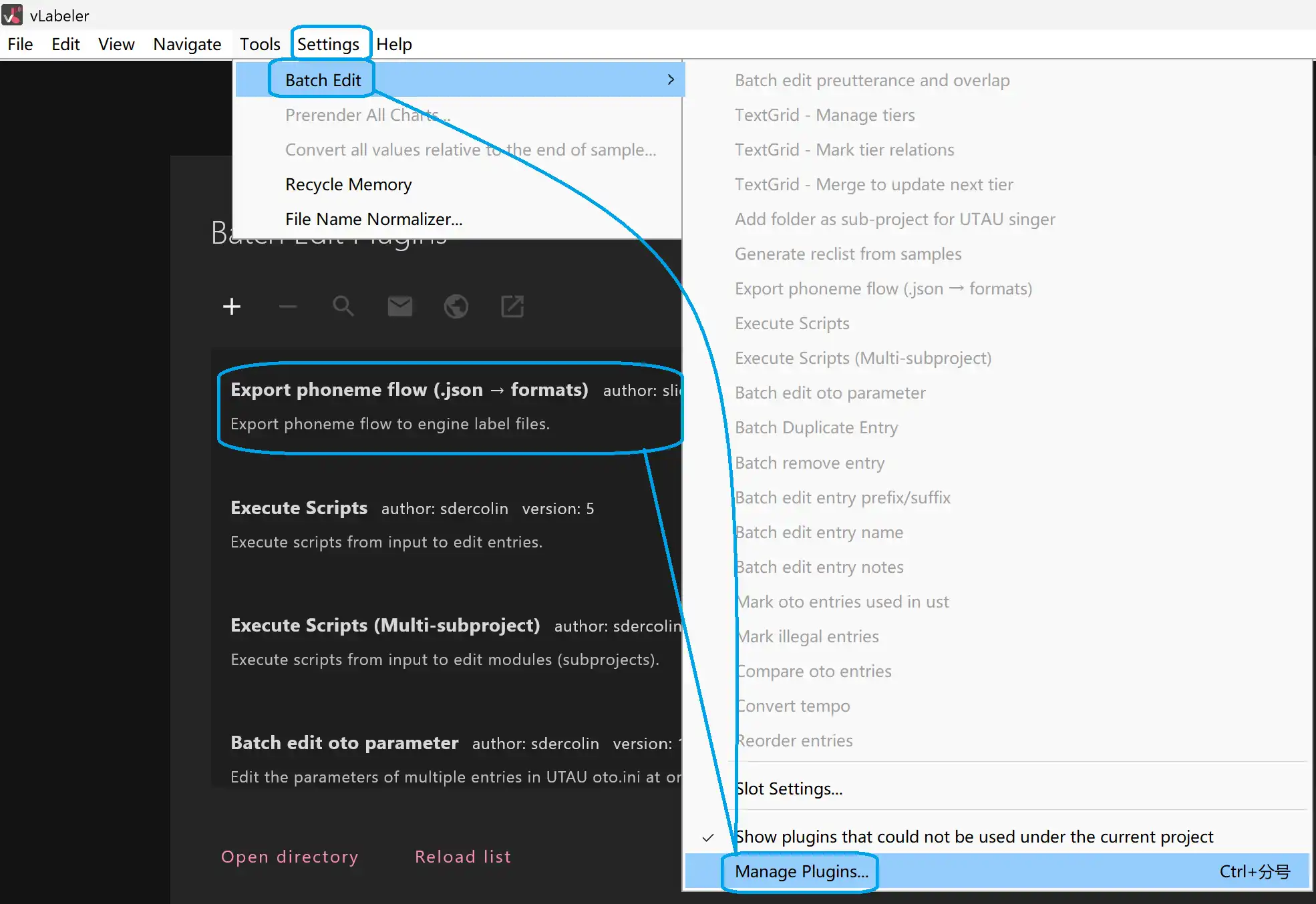
Click Tools -> Batch Edit -> Manage Plugins… to check whether the plugins are imported correctly.
点击工具->批量编辑->管理插件…以检查插件是否导入正确。